6.3.1.3. Certificate Token
Added in version 2.3: First support of certificate token
Starting with version 2.3 privacyIDEA supports certificates. A user can
submit a certificate signing request (including an attestation certificate),
upload a certificate or
generate a certificate signing request within privacyIDEA.
privacyIDEA does not sign certificate signing requests itself but connects to existing certificate authorities. To do so, you need to define a CA Connectors.
Certificates are attached to the user just like normal tokens. One token of type certificate always contains only one certificate.
If you have defined a CA connector you can upload a certificate signing request (CSR) via the Token Enroll Dialog in the WebUI.

Upload a certificate signing request
You need to choose the CA connector. The certificate will be signed by the CA accordingly. Just like all other tokens the certificate token can be attached to a user.
6.3.1.3.1. Generating Signing Requests
You can also generate the signing request. The key pair and the request is generated on the server.
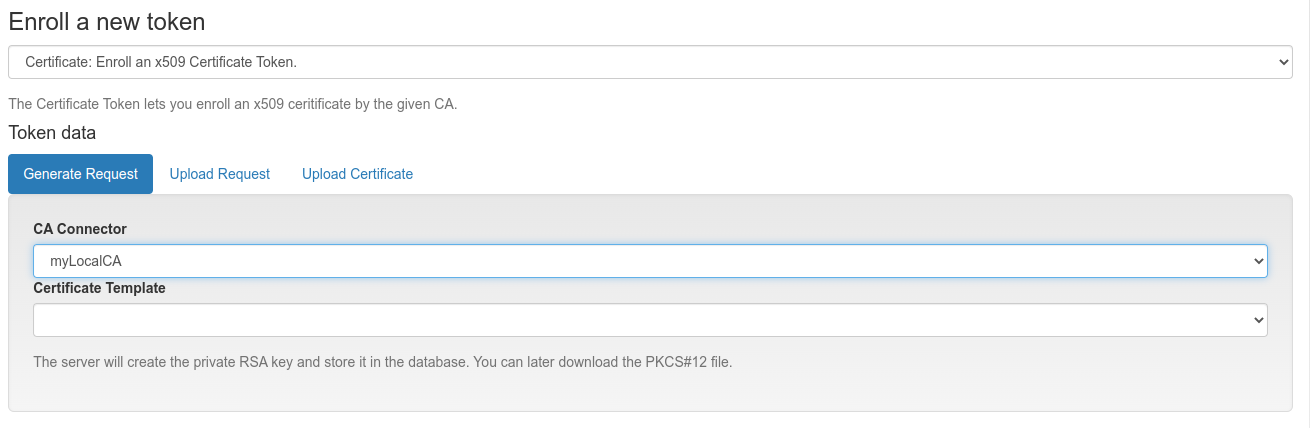
Generate a certificate signing request
When generating the certificate signing request this way the RSA key pair is generated on the server and the private key is available only on the server side. When the token is enrolled, the private key and the certificate is available in an encrypted PKCS12 container. The PKCS12 file is encrypted with the token PIN or, if the token has not PIN set, a random password will be generated and presented to the user only once.
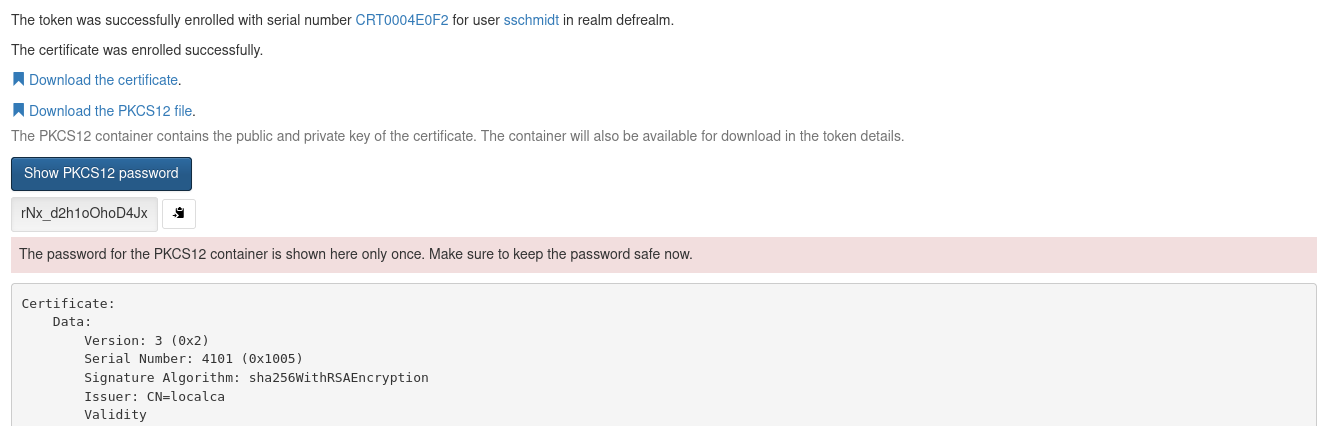
Download encrypted PKCS12 container with a generated password
The certificate is signed by the CA connected by the chosen CA connector.
Afterwards the user can install the certificate into the browser.
Note
By requiring OTP authentication for the users to login to the WebUI (see login_mode) you can have two factor authentication required for the user to be allowed to enroll a certificate.
6.3.1.3.2. Pending certificate requests
When sending certificate requests the issuing of the certificate can be pending. This can happen with e.g. the Microsoft CA, when a CA manage approval is required. In this case the certificate token in privacyIDEA is marked in the rollout_state “pending”.
Using the Event Handler a user can be notified if a certificate request is pending. E.g. privacyIDEA can automatically send an email to the user.
6.3.1.3.2.1. Example event handler
To configure this, create a new post event handler on the event token_init with the User Notification Handler Module.
In the conditions set the rollout_state=pending and in the actions choose to send an email to the tokenowner. This way, after the token is enrolled and in the state pending, privacyIDEA will send the notification email.